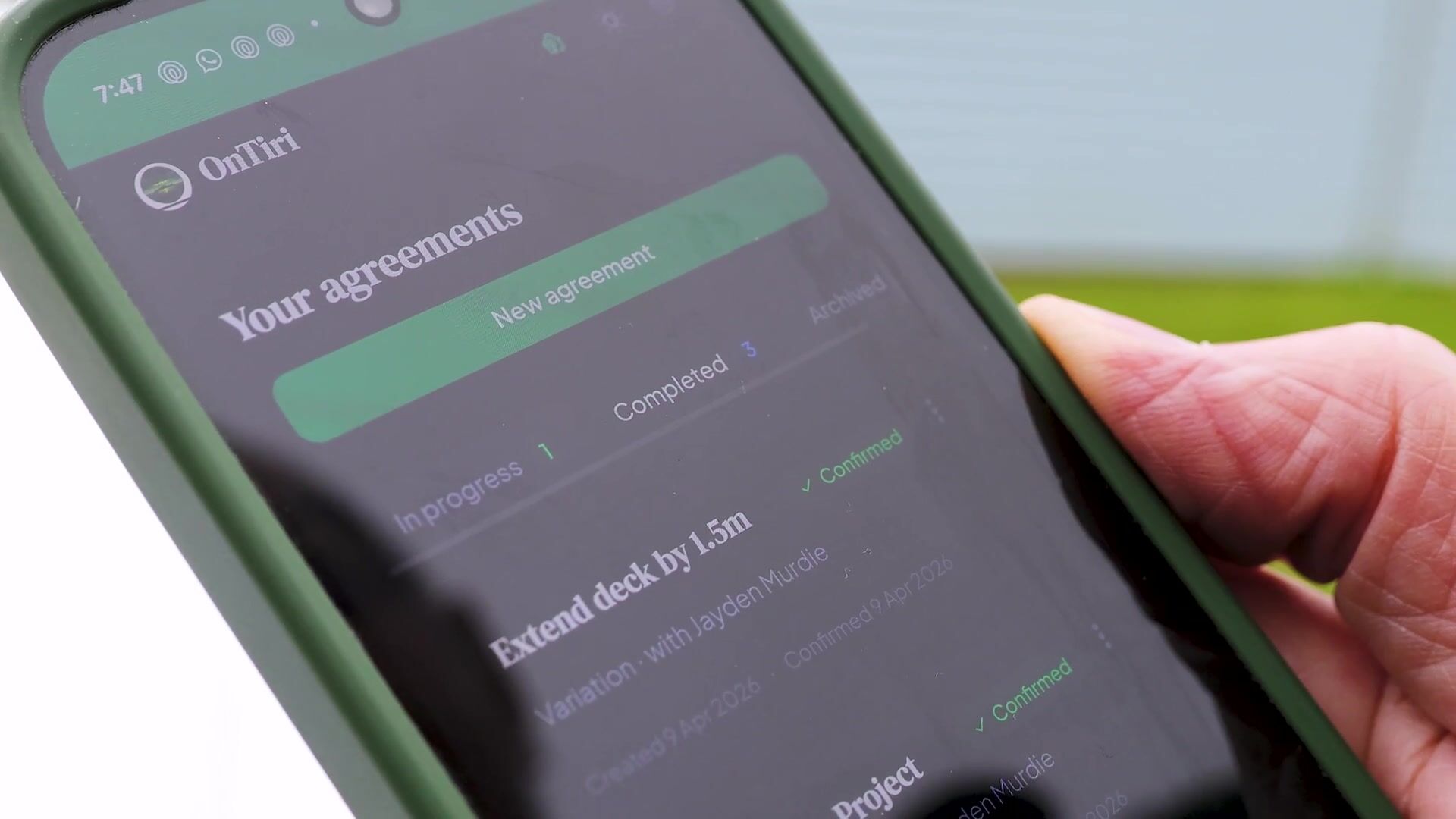
Finish the conversation, open your phone, and capture what you agreed — voice, typing, or screenshots. OnTiri turns it into a clear agreement and sends it to the client to confirm. Done before you leave the site.
For builders, electricians, plumbers, painters, designers — anyone doing custom work.
Parties: Dave Rawlings (Rawlings Building Ltd) and Lisa Nguyen
Date: 24 March 2026
Regarding: Kitchen Renovation — Additional Work
What we've agreed
1. Remove load-bearing wall between kitchen and dining area and install LVL beam — $3,500 + GST
2. Engineering report and council consent to be arranged by builder — cost included above
3. Additional 2 weeks added to project timeline (now completing 18 April)
4. Existing floor patching where wall removed — vinyl match not guaranteed, tile option quoted separately if needed
How we'll handle changes
Any further changes to this agreement must be made through OnTiri so they can be recorded and confirmed by both parties.
Agreed to by the Parties
Dave Rawlings
Confirmed electronically via OnTiri on 24 March 2026, 2:45 PM (NZDT)
Lisa Nguyen
Confirmed electronically via OnTiri on 24 March 2026, 7:12 PM (NZDT)
This agreement was created and confirmed using OnTiri (ontiri.com). Both parties received a copy at the time of confirmation.
A confirmed variation — created on-site in five minutes
Just finished discussing the job? Open OnTiri on your phone and record it while it's fresh. Don't worry about structure.
OnTiri structures what you said into a clear agreement and flags what's missing — exclusions, assumptions, allowances, conditions (your TAGS). Things like what happens if materials go up, or who's responsible for consent. You review everything, edit anything that's not right. It's your agreement — OnTiri just makes sure nothing's been missed.
They get a link by email. If anything's unclear, OnTiri sends them questions — they answer straight from their phone, no login required. Once they're happy, they confirm. Both of you get a PDF of the confirmed agreement for your records — it's yours to keep regardless.
Extra work, new timeline, different price — propose a variation in OnTiri. The client reviews the change and confirms. Every version is preserved, so there's a clear trail of what was agreed and when.
The homeowner wants the kitchen wall removed to open up the living area. You discuss it on-site and agree on $3,500. Three weeks later, the invoice arrives and she says "you said about two thousand." No record. No confirmation. Your word against hers.
Same conversation. You open OnTiri on your phone and talk through what you agreed — wall removal, $3,500, two extra weeks. AI structures it and flags the floor patching question. You send it. She gets a link, reads the summary, confirms on her phone. When the invoice arrives, you're both looking at the same record.
Two months later, they've forgotten that added three weeks to the job — and now they're asking why you're still there.
Four "small extras" later, you've done two days of unpaid work. None of it was written down.
It wasn't discussed. It wasn't excluded. Now it's an argument about what "the quote covered."
OnTiri turns your exclusions and conditions (TAGS) into specific questions the client has to answer before they confirm. No more "I didn't see that part."
Five minutes now saves five months of arguments later.
No. They get a link by email, review the agreement on their phone, and confirm. No signup, no app to install. Takes two minutes.
OnTiri creates a clear written record of what both parties reviewed and confirmed — including what was agreed, when it was confirmed, and by whom. Having a written record that both parties confirmed puts you in a strong legal position.
That's exactly what OnTiri is built for. Propose a variation — what's different, any cost or timeline changes. The client reviews and confirms. Your agreement stays up to date and the history is preserved.
Yes. Tap the microphone and talk through what you agreed. OnTiri transcribes and cleans it up. You can also type, paste text, or upload documents and photos — whatever captures the agreement fastest.
Builders quoting a renovation. Electricians scoping a rewire. Plumbers pricing a bathroom fit-out. Painters agreeing on prep and coats. Landscapers defining what's included. Any job where two people agree on scope, price, and timeline — and need to remember it the same way.
Most agreements are done in under five minutes. Capture what you agreed, review the AI draft, send it to the client. You can do it before you leave the site.
OnTiri is free during the beta. Pricing will start at around $15/month when the beta ends. Early users who help shape the product will get a permanent discount. We'll always give you plenty of notice before anything changes.
Your agreements are private to you and the other party. AI processing is handled by Anthropic (Claude). We don't share, sell, or use your agreement data for AI training.
Yes. Every confirmed agreement generates a PDF that both parties receive. Those PDFs are yours — they don't depend on OnTiri existing. Your agreements are your records, not ours.
Keeps everyone on the same page.
Create your first agreement

Or scan the QR code with your phone camera